Applications & Templates
The DSRI provides ready-to-use workspaces and tools you can launch directly from the DSRI Catalog. Most are OKD templates (pre-configured setups you launch with a few parameters) with persistent storage created automatically.
You can find and launch templates on the DSRI in 3 ways:
- Open the DSRI Catalog directly and make sure the Templates checkbox is checked.
- In the Developer view, click +Add → Developer Catalog → All services.
- In your project's Topology view, click the + icon in the top left corner.
Once you find your template, click on it to open it. You will see a form on the left where you can fill in the parameters. When ready, click Instantiate to deploy it.
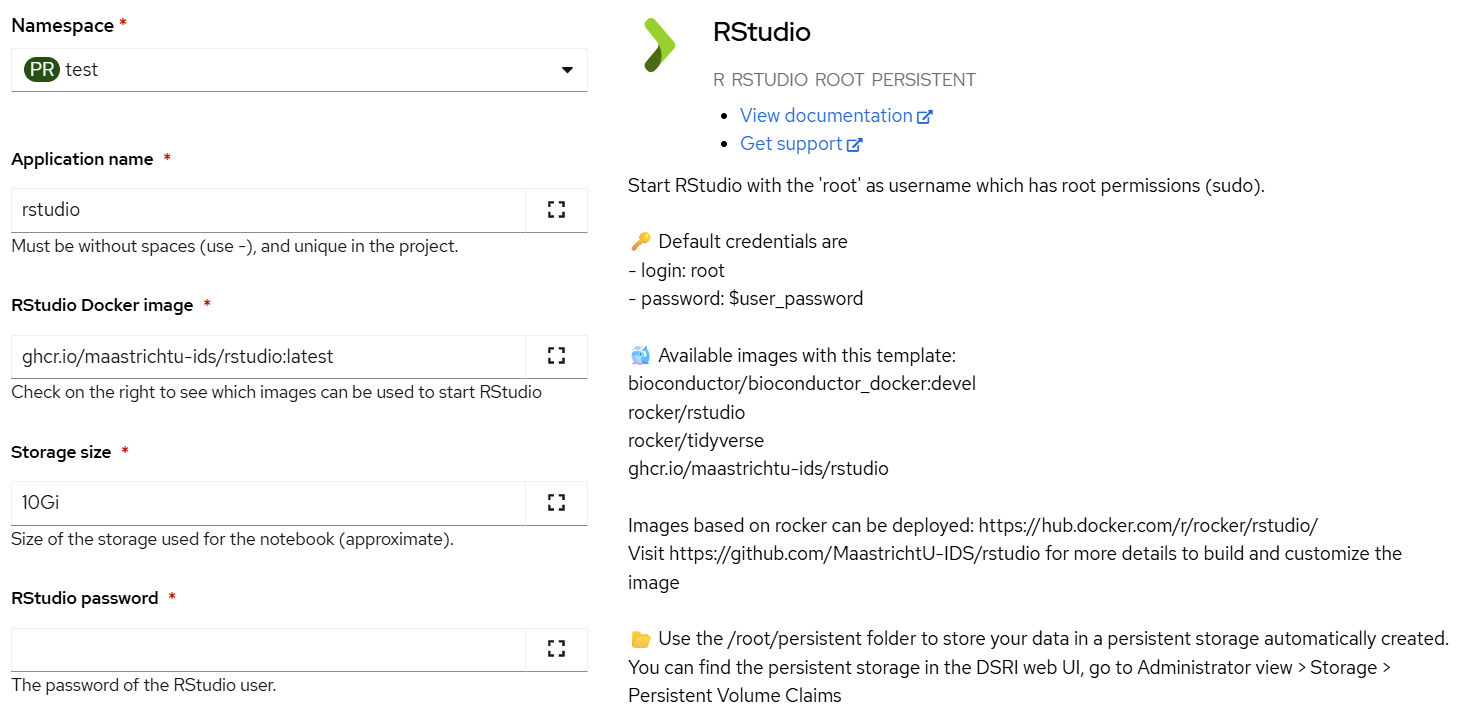
The form includes fields such as: Namespace, Application Name, Docker image, Storage size, and Password.
The following templates and applications are available on the DSRI:
Workspaces
Interactive development environments for data science
Data & Compute
Tools for data storage, processing and distributed computing
Domain Specific
Specialized tools for specific research domains