Software & Hardware
The DSRI specifications
Software
Platform
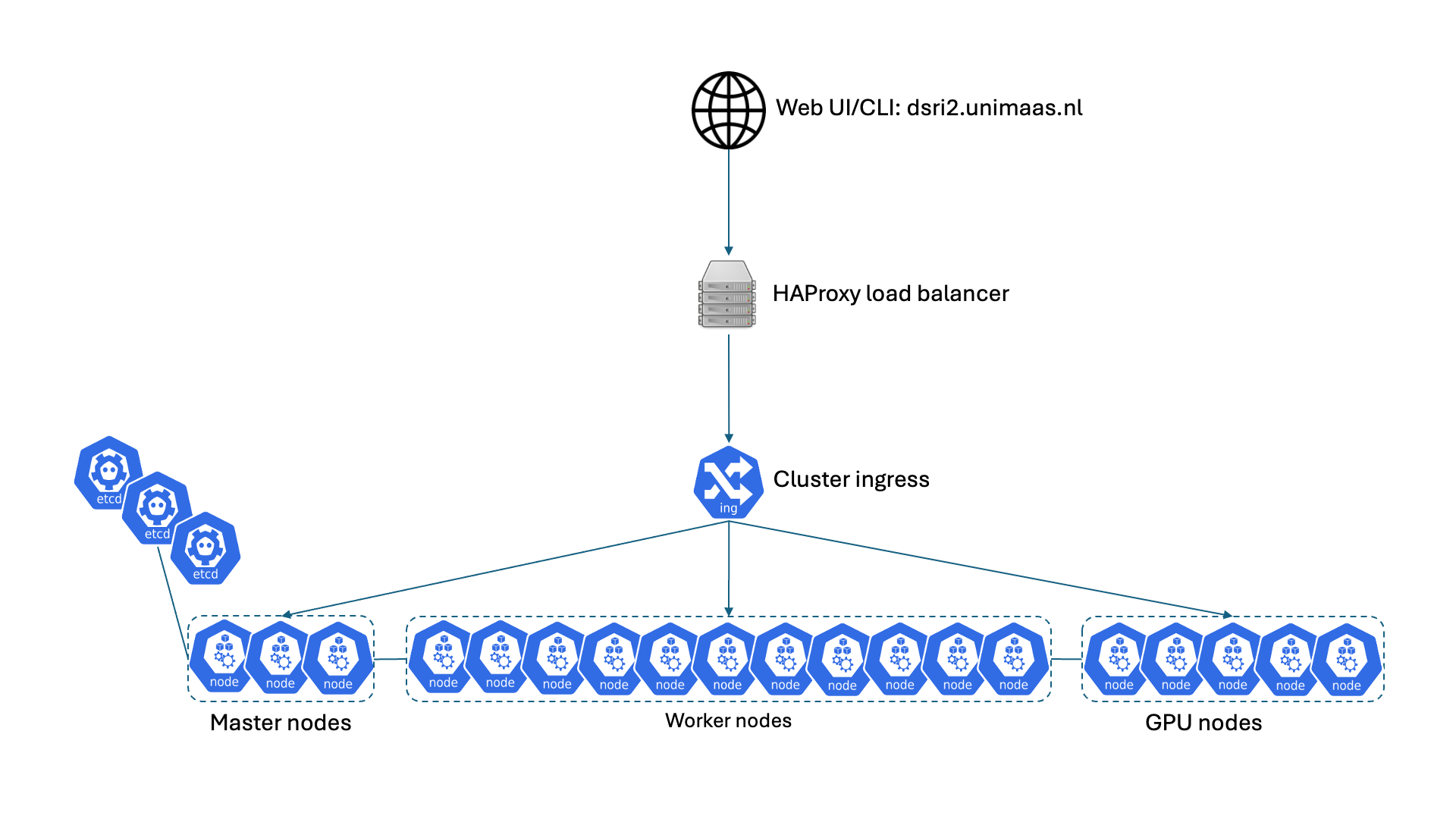
We use OKD 4.21, the Origin Community Distribution of Kubernetes that powers RedHat OpenShift, a distribution of the Kubernetes container orchestration tool. Kubernetes takes care of deploying the Docker containers on the cluster of servers, the OKD distribution extends it to improve security, and provide a user-friendly web UI to manage your applications.
Storage
We use RedHat Ceph storage for the distributed storage.
Deployable Applications
DSRI works best when you work with code, scripts to run, and web applications. Especially if they require an important amount of computing resources.
Below is a non-exhaustive list of applications that can be easily deployed:
Development Environments
- Multiple flavors of JupyterLab (scipy, tensorflow, all-spark, and more)
- JupyterHub with various authentication methods (e.g. GitHub authentication)
- RStudio with a complementary Shiny server
- VisualStudio Code server
- Tensorflow or PyTorch on Nvidia GPU (with JupyterLab or VisualStudio Code)
Databases
- SQL: MariaDB, MySQL, PostgreSQL
- NoSQL: MongoDB, Redis
- Graph: GraphDB, Blazegraph, Virtuoso
...or any program installed in a Docker image!
Hardware
| CPU | Cores | RAM | Storage | Type | |
|---|---|---|---|---|---|
| 16x CPU node | 2x AMD EPYC 9555 64-Core 3.2GHz | 128 cores (256 vCPUs/threads) | 1024GB DDR5 memory (3200MHz) | 5x 15TB NVME drives (75TB) | Dell EMC PowerEdge R7725 |
| Total capacity | 32 CPUs | 2048 cores (4096 vCPUs/threads) | 16384 GB | 1200 TB | - |
| GPU | CPU | Cores | RAM | Type | Can be booked | |
|---|---|---|---|---|---|---|
| 2x GPU node capacity | 2 NVIDIA H100 80GB | 2x AMD EPYC 7763 64-Core 3.5GHz | 128 cores (256 vCPUs/threads) | 512 GB DDR4 (3200MHz) | Dell EMC PowerEdge R7525 | Yes |
| 1x GPU node capacity | 2 NVIDIA A100 80GB | 2x AMD EPYC 7763 64-Core 3.5GHz | 128 cores (256 vCPUs/threads) | 512 GB DDR4 (3200MHz) | Dell EMC PowerEdge R7525 | Yes |
| 1x GPU node capacity | 1 NVIDIA A100 80GB | 2x AMD EPYC 7763 64-Core 3.5GHz | 128 cores (256 vCPUs/threads) | 512 GB DDR4 (3200MHz) | Dell EMC PowerEdge R7525 | Yes |
| 1x GPU node capacity | 4 NVIDIA L40S 48GB | 2x AMD EPYC 9554 64-Core 3.75GHz | 128 cores (256 vCPUs/threads) | 1536 GB DDR5 (4800MHz) | HPE ProLiant DL385 Gen11 | No |
| Total capacity | 11 GPUs | 10 CPUs | 640 cores (1280 vCPUs/threads) | 8192 GB | - |
Note: We currently only allow one GPU being booked per user at a time. Please refer to the GPU Booker for more information. Additionally, the L40S GPUs cannot be booked as they are dedicated to certain research departments. Please contact us if you would like to know more about possibilities for co-investing in the DSRI to have your own hardware!